Did you know that email is the most common way malware reaches your device? According to Forbes, roughly 35% of malware is delivered by email, and the large majority of organizations report an email-based security incident every year. That makes knowing how to react — the moment you realize you’ve clicked or opened something you shouldn’t have — a genuinely useful skill, and it’s the difference between a quick recovery and a drawn-out cleanup.
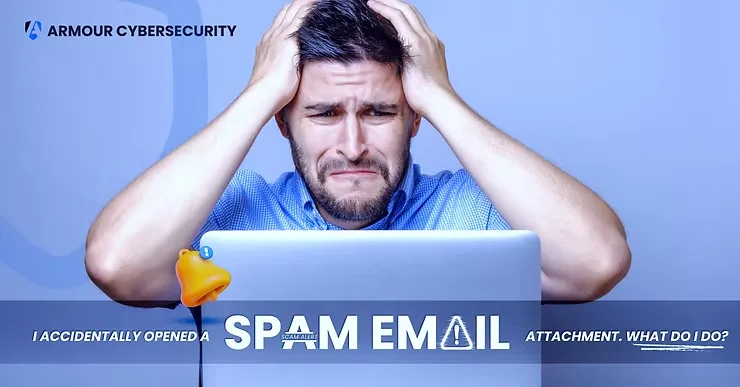
Picture the scenario. You’re powering through an overflowing inbox when a friendly message arrives from a “sales rep” offering to streamline your business. You open the attached file without a second thought — and that’s when the trouble starts. In one click you may have let a malicious program onto your system, putting personal data, financial information, and even your company’s entire network at risk. What felt like a routine click has, in an instant, become a security incident with real consequences for you and everyone you work with. It’s exactly the kind of exposure a regular cybersecurity posture assessment is designed to catch before it happens.
Not every spam email is malicious, but plenty carry viruses, spyware, Trojans, rootkits, or other malicious code — usually hidden in an infected attachment or link. Even a harmless-looking message can be a phishing attempt, so it pays to stay cautious and treat unexpected mail with a healthy dose of suspicion. Attackers count on a moment of distraction, and a busy inbox provides plenty of them, which is why even careful people occasionally slip — and the stakes are simply too high to rely on instinct alone.
What Is Phishing?
Phishing comes in many forms: email, text messages, phone calls, fake websites, and videos. Attackers often deliver viruses through attachments like PDFs or .zip files, and they’ve become expert at crafting emails that look almost identical to the real thing. With AI now writing the lures, these scams are harder than ever to spot — which is why ongoing security awareness training matters, so you and your colleagues can recognize the tell-tale signs before clicking.
Falling for a phishing email can have serious consequences for individuals and businesses alike. The best move is never to open or engage with suspicious email at all. But if you do open an attachment you suspect is malicious, the guide below will help you contain the damage quickly, before it spreads to your passwords, bank accounts, or company data. Read it once now, so the steps are familiar if you ever need them under pressure.
Assessing the Potential Damage
Before the steps, it helps to understand what you’re dealing with. Malware such as Trojans and worms activates the moment you open a suspicious attachment or click a bad link, and it’s designed to look legitimate so it’s hard to detect. Here’s what’s at stake.
Data compromise
Malware can give an attacker direct access to your sensitive files — bank details, shopping accounts, passwords, and even corporate secrets.
Malware installation
The attachment may quietly install more malware, such as keyloggers that record everything you type, or ransomware that locks up your data until you pay.
Account takeover
With stolen credentials, attackers can seize your email, social media, banking, or corporate accounts — locking you out and impersonating you.
Step 1: Take Immediate Action
You’ve realized you clicked. Don’t panic, but act quickly, because time matters. First, disconnect from the internet — cut the device off immediately so the malware can’t spread or phone home to its command server. Turn off Wi-Fi, switch on airplane mode, or unplug the Ethernet cable. Next, shut the device down. Don’t just log off or put it to sleep; power it down fully to stop the malware from spreading to other devices on your network. Disconnecting and shutting down buys you time to plan your next move without risking further infection.
Step 2: Follow Your Organization’s Protocol
Many organizations have a defined process for reporting incidents like this — an official form or an escalation path. It may feel like a hassle, but following it ensures the right people are notified and the incident is properly documented and addressed.
Step 3: Contact IT or Your Cybersecurity Team
Now call in the experts. If your business has a security team, reach out immediately; if not, contact IT support or engage professional incident response services right away. Be ready to share details: the email’s subject line and sender, when you opened the attachment, and which accounts or files you’ve touched since. As with a doctor, the more information you provide, the faster they can diagnose the problem and limit the damage.

Step 4: Take Proactive Security Measures
With the team engaged, secure your accounts. Reset your passwords, changing every one that could be exposed and starting with the account tied to the attack. Create strong, unique passwords — at least 14 characters mixing letters, numbers, and symbols — and update anything saved in your password manager. Turn on multi-factor authentication for your most important accounts: finance, email, and social. These two moves alone shut most attackers out, even if they already grabbed an old password. Then run a full malware scan — fire up your antivirus or anti-malware tool and scan the entire system as part of a broader vulnerability assessment so nothing lingers. Depending on the infection, your IT team may recommend specialized cleanup tools. If you restore from a backup, scan the backup too, because the infection may predate when you noticed it. Finally, consider identity theft protection: a reputable service can monitor your credit, bank accounts, and the dark web, and alert you to suspicious activity — many plans include recovery assistance and insurance for identity-theft costs.
What to Do in the First Hour
The first hour after a suspected infection is often the most important. Attackers may try to establish persistence, move across the network, steal credentials, or reach their command-and-control servers. Isolate the affected device, notify IT or security, preserve evidence, and start documenting a timeline of events. Organizations with documented, tested response plans consistently recover faster and suffer less disruption.
Learning From the Experience
That was a close call — but now you’ll spot the next attempt sooner. Those urgent subject lines designed to rush you? You’ll see through them. Unknown senders and sloppy formatting? Not on your watch. When in doubt, report the message and notify IT rather than engaging with it. Use this as a prompt to refresh your knowledge and keep your colleagues sharp, because AI is making attacks more convincing by the month. If you want to sharpen your eye further, our full guide to email security covers the best practices in detail, and you can always contact our team for help with incident recovery or awareness training. The bottom line is simple: the next time an unexpected attachment or suspicious link lands in your inbox, don’t open it.
Frequently Asked Questions
What happens if I open a malicious email attachment?
Opening one can install malware, steal credentials, expose sensitive information, or give attackers access to your device and network.
Should I disconnect from the internet after opening a suspicious attachment?
Yes. Turning off Wi-Fi, unplugging network cables, or enabling airplane mode helps stop malware from communicating externally and spreading.
Do I need to change my passwords after opening a malicious attachment?
If there’s any chance your credentials were exposed, change them immediately and enable multi-factor authentication on important accounts.
When should I contact an incident response team?
As soon as you suspect a compromise — especially if business information, customer data, or corporate systems may be affected. Early response significantly improves recovery outcomes.
Can antivirus software fully protect against phishing?
No. Antivirus is only one layer. Awareness training, email security controls, monitoring, and incident response all matter for reducing phishing risk.
How can I recognize a phishing email?
Look for generic greetings, urgent requests for personal information, unfamiliar sender addresses, and unexpected attachments or links — and verify authenticity before you act.
A: Look for red flags such as generic greetings, urgent requests for personal information, or unfamiliar sender addresses. Be cautious of unexpected attachments or links and verify the authenticity of emails before taking any action.

About the Author
With over 25 years of cybersecurity experience honed from his time as an officer in the Elite Technology Unit of the Israeli Defense Forces Intelligence Corps, David Chernitzky brings unparalleled expertise to cyber protection. As CEO and co-founder of Armour Cybersecurity, one of the fastest-growing cybersecurity companies globally, Chernitzky has built the company’s success on developing cutting-edge technologies and high-performance teams focused on providing top-tier cybersecurity solutions tailored to organizations of all sizes, particularly SMBs.